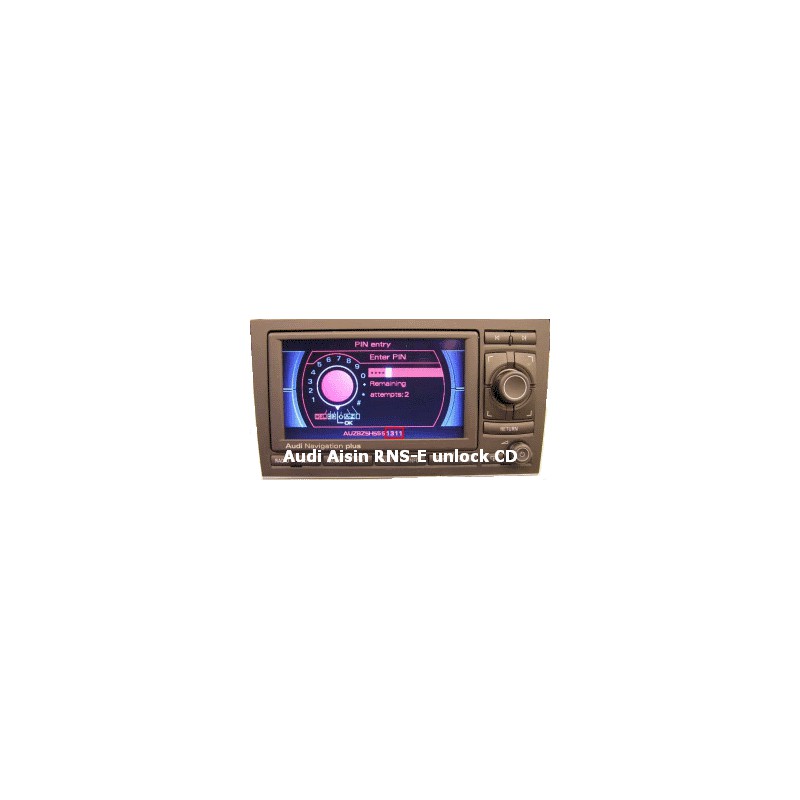


Easy and quick solution to decode Audi A3, A4, A6 RNS-E navigation made by Aisin. No need any mechanical works, take ~5 minutes. Just insert "Unlock CD" and after fast update navigation security code will be writed on navigation screen.

Delivery policy

Return policy
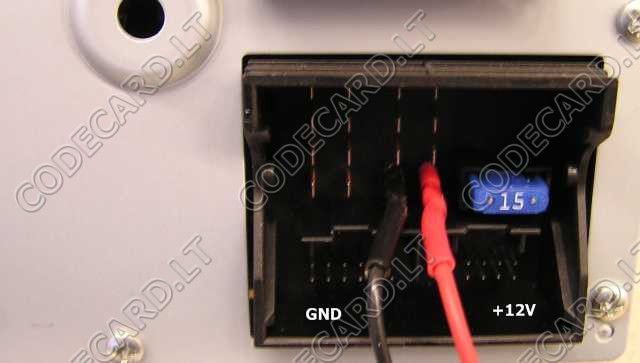
- If navigation is installed in the car - don't remove it. If navigation unit is removed - connect power supply +12V like in picture:
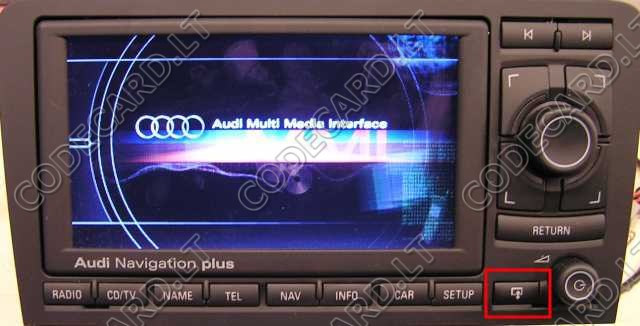
- Switch navigation ON and on first screen push screen open and eject button. Remove original CD
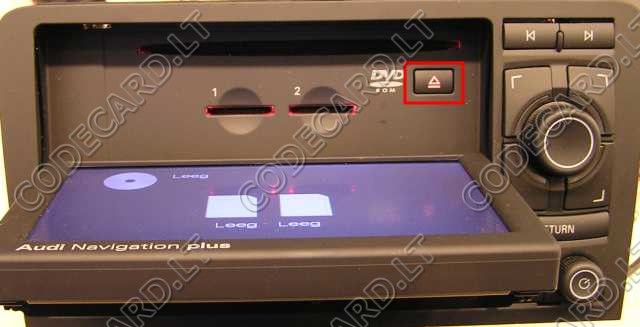
- Now insert "unlock CD" and wait. Don't disconnect power supply, don't push any button. After ~30 sec. screen will close. In 2 min navigation will restart and in next 2 minutes update processe will start. After ~5 minutes RNS-E will restart again and now on screen serial number last 4 digits is your navigation security code:
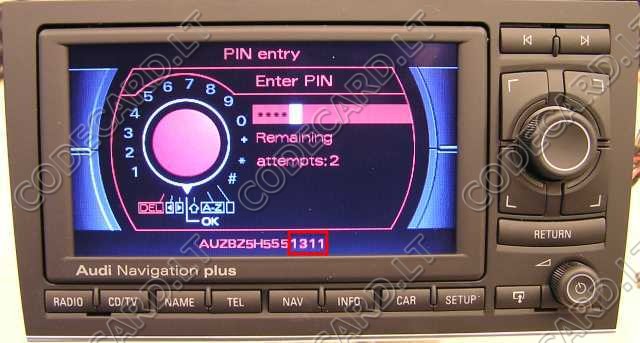
Your review appreciation cannot be sent
Report comment
Report sent
Your report cannot be sent
Write your review
Review sent
Your review cannot be sent
Easy and quick solution to decode Audi A3, A4, A6 RNS-E navigation made by Aisin. No need any mechanical works, take ~5 minutes. Just insert "Unlock CD" and after fast update navigation security code will be writed on navigation screen.